
Other power connections, accessories, and any required Ring recording subscription are confirmed before purchase.
Before You Buy
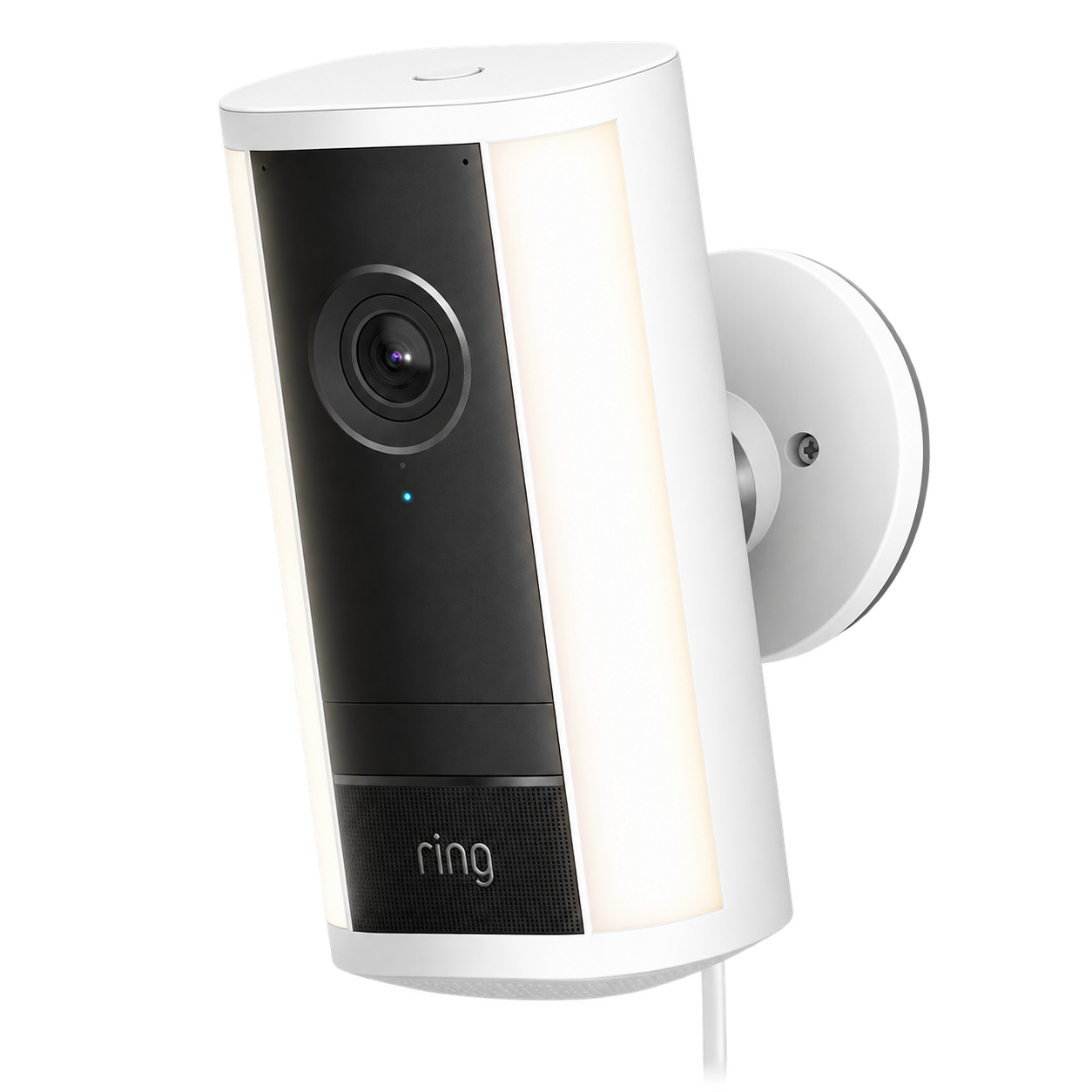
This guide covers the 4K generation sold by Ring as Spotlight Cam 4K Pro, with a model-specific example for Plug-In installation. Check the power option on the box: Plug-In, Wired, and Power over Ethernet are not interchangeable installations. Do not use an older battery-camera tutorial or assume its solar accessories fit this model.
A useful property camera shows the approach, the act, and the departure. Choose the view around the problem you need to understand, such as a gate or parked vehicle, rather than aiming for the widest possible picture. A camera can record activity without identifying a distant face or plate.
Subscriptions
Plan prices are references and subject to confirmation. Provider taxes and fees are additional unless confirmed as included. We confirm compatibility, the service, billing period, and actual charge before arranging a plan. Provider subscriptions are separate from Heavy Cover and the equipment price.
Subscriptions we arrange include 24/7 continuous recording and supported AI. Monthly prices are: Solo, $12.99 for one camera ($4.99 base plus $5 AI and $3 recording); Multi, $9.99 per location plus $8 per camera ($5 AI plus $3 recording); Pro, $19.99 per location plus $3 recording per eligible camera. Pro includes AI and compatible Ring Alarm professional monitoring; with recording it costs $22.99 for one camera, $28.99 for three, or $34.99 for five.
Annual base plans are $49.99 (Solo), $99.99 (Multi), or $199.99 (Pro), before the add-ons above. Continuous recording requires continuous power and supports up to 10 eligible devices per location, with up to 14 days of cloud retention.
Internet is separate. Dedicated camera internet through AT&T, T-Mobile, or Verizon, Ring backup-data services, Alarm Pro, sensors, backup power, and any additional router are optional and quoted separately.
What You Need
- Required: the matching power supply and mounting parts for your exact power option. Check the box contents before ordering additional parts.
- For the Plug-In example: a suitable outlet, Phillips screwdriver, and a safe way to reach the mounting point. Masonry may need a drill, the specified bit, and appropriate anchors.
- For PoE: a compatible network and power arrangement. For hardwired mains power: the exact regional instructions and a qualified installer where required.
- As needed: outdoor-rated cable protection and appropriate fixings for the wall. Do not improvise an exposed indoor extension-cord installation.
- An internet connection and any Ring plan required for the recordings and history you intend to use. A hardware purchase alone does not establish those features.
Installation And Setup
Test Before Drilling
Set up the camera near power using the Ring app and the device QR code. Check the proposed location for a usable connection and view before committing to holes. Obtain permission if you rent or share the property.
Choose The Correct Mounting Method
For the Plug-In wall installation, use the mounting plate to mark the holes, with its UP arrow oriented correctly. Ring specifies clearance around the plate. Follow the linked manual for wall material and anchors; ceiling installation uses a different orientation.
Attach And Secure The Camera
Fit the mount as shown for your installation, seat the power connector fully, and engage the camera with the plate. Tighten the security screw and joint after aiming. Do not copy mains-wiring steps into a Plug-In installation.
Protect The Power Route
Secure the cable and adapter with the specified hardware. Keep the cable away from doors, walking routes, and places where it can be pulled loose. Do not drill until you have checked for concealed services.
Set The Recording Area
Name the camera clearly, review motion and privacy settings, and decide whether audio is lawful and needed. Make the view useful for your entrance without observing private neighboring areas. Review account users and enable the available account protections.
Test Your Setup
- Walk the actual approach during daylight and after dark. Check whether the event begins early enough and whether glare hides the person.
- Confirm the notification arrives, open a live view, and find the recorded event if your plan supports it. Test these separately.
- Export a test clip and play the saved file. Check date, time, image detail, and the area outside the frame.
- Simulate normal conditions, not a crime: a consenting person walking past is enough. Recheck after moving furniture, lighting, or the router.
If Something Does Not Work
Live View Works But No Saved Clip
Check the current plan, recording settings, event history, and retention. A working live picture does not prove video is being saved.
Events Begin Too Late
Review placement and motion zones using a safe walk test. A broad street view may generate noise while missing the entrance that matters.
Camera Goes Offline
Check power and the connection at the camera location. Do not assume the internet speed measured beside the router represents the exterior wall.
Safe And Lawful Use
- Do not record bathrooms, changing areas, or private neighboring spaces. Property ownership is not unlimited recording authority.
- Washington generally requires all participants' consent to record a private conversation, subject to statutory exceptions. Disable audio unless you have a lawful basis; a security-camera label alone is not consent.
- Shared access should use the supported invitation or permission controls, not a shared password. An app feature is not proof of a verified Crime Fixer integration.
Where To Buy And Find Instructions
These links take you to the manufacturer or original source. You may buy independently or select a supported device with your Crime Fixer service. Check the exact model, stock, compatibility, provider plans, and return terms before purchasing.
- View Camera And Power Options At Ring
Manufacturer purchase page. Match the power option and generation; prices and stock can change.
- Ring Plug-In Installation Manual
The illustrated wall and ceiling instructions for the Plug-In model, not a universal wiring guide.
- Washington Private-Recording Law
Consent requirements and exceptions for private communications. Check the law where the camera is used.
Ring Accessories
These accessories are optional. We check your existing equipment and quote any missing hub before you approve a purchase. A required hub is not included with the camera or sensor; no bundle is added automatically.
Ring Door/Window Contact Sensor (2nd Gen) / $19.99
Requires a configured Ring Alarm or Alarm Pro base station. A camera alone is not a hub.
Set Up And Disarm The Base
Configure the Ring Alarm or Alarm Pro base station first. Disarm the system before adding or testing a sensor.
Add The Sensor In The App
Choose the Alarm Contact Sensor in the Ring app and follow setup. Remove the battery tab only when prompted.
Prepare The Surfaces
Choose an indoor door or window near the base station. Clean and dry the mounting surfaces.
Align And Mount Both Parts
Put the sensor on the frame and the magnet on the moving door or window. Align them within 1 inch when closed. Press the adhesive firmly for 20 seconds without obstructing movement.
Test Open And Closed
With the alarm disarmed, open and close the door or window. Check that the app reports both states and the sensor stays connected.
Secure The Coin Batteries
Keep new and used coin batteries away from children. Secure the battery cover and follow Ring's replacement instructions.
View Sensor At Ring / Ring Contact Sensor Installation Instructions
Ring Power Pack / $129.99
Powers Alarm Pro or eero 6 Extender only, not the camera, modem, or a standard Alarm base station.
Use The Existing Adapter
For Alarm Pro, use its existing USB-C power adapter to charge the Power Pack through the orange rounded Power In port. The Power Pack does not include another adapter.
Follow The Color-Coded Ports
Use the provided short USB-C cable from the Power Pack's blue squared Power Out port to Alarm Pro's orange rounded Power In port. Follow Ring's supported instructions for an eero 6 Extender; do not connect a camera.
Inspect Battery Health
For Alarm Pro, open the base station in the Ring app and select Battery Health. Confirm the connected Power Pack is detected and charged. Runtime depends on the equipment and use.
View Power Pack At Ring / Ring Power Pack Setup Instructions
Camera And Network Backup Power / Model And Price To Confirm
A separately matched third-party UPS for the camera and network equipment. Model, runtime, and actual price require confirmation.
Match a third-party uninterruptible power supply (UPS) to the combined load of the camera, router, and modem, their connections, and the runtime you need. We confirm the model and actual price before you approve it.
Local backup power does not guarantee internet access. An outage can also affect your internet provider, cellular service, or equipment beyond your property. Any separate service plan must be confirmed.
Optional Accessories
We confirm compatibility, availability, and the price before you approve a purchase. These items are not included automatically.
- Ring PoE+ Converter Mount
Confirm the compatible mount, a PoE+ switch or injector, and CAT5 or better cabling. Manufacturer details
- Ring Chime Pro
Extends Wi-Fi for compatible Ring devices and plays alerts. It does not replace internet service or supply power to a camera. Manufacturer details
- Ring Alarm Pro Base Station
A compatible hub for Ring Alarm sensors. Confirm network and backup requirements separately. Manufacturer details
- Cellular Internet Gateway
Confirm local cellular coverage, the gateway, power and carrier plan. These are separate from the camera and its recording plan. Manufacturer details
- Security Signs And Compatible Covers
Confirm which signs or approved covers fit the installation. Do not block the lens, lights, or sensors. Manufacturer details
What To Check
- Power, internet access, and the area the camera needs to cover.
- Which live views, recordings, and alerts your Ring plan provides.
- Permission to share camera access, without sending anyone your password.
Connecting It To Crime Fixer
We confirm the model, compatibility, permissions, and access before connecting a device. Buying hardware does not provide investigator monitoring or response by itself, or guarantee that every feature can be connected.
Any Cover monitoring or response depends on your selected subscription, supported equipment, permissions, and service availability. Products purchased from Crime Fixer and their included Install, Care, and ID benefits require active, paid Heavy Cover.
Buying And Setting Up
An active, paid Heavy Cover subscription is required to purchase any product from Crime Fixer and receive the included Install, Care, and ID benefits. Investigative Services and Lite Cover do not qualify. Adding Heavy to a cart does not establish active coverage. Public guides, basic price information, and requests for a future quote remain available without a subscription. Product selections are quote interest only, not purchases or provider-plan activations.
Equipment is purchased separately. Product prices are U.S. dollar references before applicable sales tax, shipping, and payment processing fees. We confirm current prices and availability before purchase; they may change with sales, suppliers, and configuration. Optional accessories and Physical Honeypot materials require a current quote.
Install includes setup, basic installation, configuration, testing, practical fixes, and additional security measures based on our tests for supported products purchased from Crime Fixer; these are included while Heavy Cover is active and paid, as time and resources allow. On-site product work is limited to the Cover service area. Work beyond our qualifications or legal authority, including complex wiring, network infrastructure, and commercial-grade installations, requires a specialist.
Care includes optimizing and maintaining supported products purchased from Crime Fixer, keeping them running, and updating their software while Heavy Cover is active and paid, as time and resources allow. While Heavy Cover is active and paid, we cover the replacement cost if a product purchased from Crime Fixer is damaged or stolen, using the same model or a comparable model. We do not cover damage you cause by misusing or tampering with the product or performing your own maintenance or repairs. Lost products are not covered.
You may use these public guides independently. Compatible existing equipment can connect to supported Cover functions with the required permissions; this is not a promise of free physical setup, installation, or maintenance for equipment bought elsewhere.
ID support requires active, paid Heavy Cover and currently trackable people, pets, vehicles, or items. Location sharing must be set up with us through a compatible device or tracker purchased from Crime Fixer. A person must carry or wear the device; pets, vehicles, and items need compatible built-in tracking or an attached tracker. ID Kit contents and publication channels require approval by email or text before distribution to investigators, law enforcement, or social media. Advance approval may cover a later missing-person or stolen-property incident with the same contents and channels; changes require further approval. Paid advertising needs separate approval and payment; campaign work remains included in Heavy Cover.
The device belongs to you. Care covers qualifying damaged or stolen products purchased from Crime Fixer while Heavy Cover is active and paid, subject to the exclusions above; it does not cover lost products. Applicable manufacturer warranties are separate.
Required carrier, data, cloud, or manufacturer subscriptions are separate from Heavy Cover and any quoted equipment price. You may pay providers directly or, while Heavy Cover is active and paid, have Crime Fixer arrange and pay confirmed provider plans for products purchased from Crime Fixer, where the provider permits. You pay the actual provider cost, including provider taxes and fees, separately from Heavy Cover; we add no management fee. We confirm each service, billing period, and charge before arranging it. Payment processing fees are described in the Service Terms. Atlas XL hardware is included with an active Spytec plan; reference prices are $24.95/month or $215.40/year paid upfront, separate from Heavy Cover. A quote request does not enroll you in, charge for, or renew a provider plan.
Customization is included as an option for supported GPS trackers and tags. Bait items, materials, and additional equipment require a quote. Extra hidden cameras require a product purchase with installation or a separately approved Automated Surveillance deployment, agreed before proceeding.
Before you pay for a purchase or subscription we arrange, we confirm availability, the actual equipment and configuration, accessories, plan, billing period, applicable sales tax, shipping, payment processing fee, and total with you by email or text message. Unknown equipment, tax, or shipping charges remain pending, not zero. No shipping charge is added when shipping is not needed.